

Buying the right phone charger can be confusing
It's no longer just about USB-A or USB-C. Back when smartphones first became mainstream, every phone came with a charger in the box. You didn't have to think about wattage, protocols, or materials. You just plugged the cable into the brick and into your phone, and it charged. In those days, most chargers delivered a meager 5 watts, and the only real variation was the connector type: micro-USB, Lightning, or the occasional 30-pin dock. Fast forward to today, and the landscape has changed dramatically. Flagship phones from Samsung, Apple, Google, and others no longer include a charger in the box. Even mid-range and budget devices are increasingly shipping without one. This shift has forced consumers to become their own charger experts, but the terminology and specifications on modern chargers can feel overwhelming.
The biggest reason buying a charger is confusing is that almost any charger will technically work with your phone. You can use a 5W charger from five years ago, and your phone will still charge. But 'works' and 'works correctly' aren't the same thing. Beyond wattage, you need to see if the charger supports advanced charging tech like USB Power Delivery (PD), Programmable Power Supply (PPS), Quick Charge (QC), and Gallium Nitride (GaN). Without these, you might be leaving a ton of speed on the table or paying a premium for wattage your phone can't even use.
Understanding what each acronym means is the first step to making a smart purchase. The good news is that once you learn the basics, you'll never buy the wrong charger again. In this guide, we'll break down each term in plain English, explain how wattage works in practice, and show you why the cable is just as important as the brick. Whether you're looking for a single-port travel charger or a multi-port desktop hub, the principles remain the same.
USB PD, PPS, QC, and GaN all mean different things
USB Power Delivery (USB PD)
USB Power Delivery is a universal charging standard that allows a charger and a device to negotiate power delivery. Instead of supplying a fixed voltage, the charger and your phone, tablet, or laptop communicate to determine the safest and fastest power combination. USB PD can deliver up to 240 watts over USB-C (with the latest revision), but most phone chargers top out at 45W or 65W. The standard uses a variety of voltage profiles (5V, 9V, 15V, 20V) and can dynamically switch between them. This flexibility makes USB PD ideal for charging multiple types of devices with a single charger. Almost every modern Android phone, as well as many laptops, tablets, and even some gaming consoles, support USB PD. When you see a charger labeled '65W USB PD', it means the charger can deliver up to 65 watts using the Power Delivery protocol, provided your device requests it.
Programmable Power Supply (PPS)
PPS is an extension of USB PD that allows for even finer control over voltage and current. Instead of switching between fixed voltage steps, a PPS charger can continuously adjust the output in small increments, typically between 3.3V and 21V. This granular control helps maintain optimal charging efficiency and minimizes heat generation. Heat is a primary enemy of battery longevity, so PPS is particularly beneficial for preserving battery health over time. Many Samsung Galaxy smartphones, for example, use PPS to achieve their advertised fast charging speeds. A PPS charger can also adapt to different battery chemistries and states of charge, ensuring that the phone receives exactly the power it needs at any moment. For the consumer, PPS often translates to faster charging with less wasted energy.
Quick Charge (QC) and Other Proprietary Protocols
Qualcomm's Quick Charge is a proprietary technology found primarily in devices powered by Snapdragon processors. However, it is licensable to other manufacturers, so you may find QC support in non-Snapdragon devices as well. Quick Charge has gone through multiple versions (QC 2.0, 3.0, 4+, 5), each offering faster speeds and better compatibility. QC 4+ and QC 5 are backward compatible with USB PD, meaning a charger that supports QC 5 can also charge a USB PD device. Besides QC, many phone makers have their own fast-charging standards. OPPO's SuperVOOC, OnePlus's Warp Charge (now called SUPERVOOC on some models), Motorola's TurboPower, and Huawei's SuperCharge are all examples. These typically require both the charger and the phone to be from the same brand to achieve the advertised peak speeds. For instance, a 65W SuperVOOC charger from OPPO will charge an OPPO phone at 65W, but it might only deliver 15W to a Samsung phone using standard USB PD. When shopping for a charger, it's important to know which standards your phone supports. If your phone uses a proprietary protocol, buying a third-party charger may limit you to slower USB PD or basic 5V charging.
Gallium Nitride (GaN)
Gallium Nitride (GaN) is not a charging protocol but a material used inside the charger. Traditional chargers use silicon components for power conversion, which generates significant heat and requires bulky heatsinks to manage it. GaN is a wide-bandgap semiconductor that can handle higher voltages and currents while producing less heat. The result is a charger that is physically smaller and lighter than an equivalent silicon-based charger. For example, a 65W GaN charger can be compact enough to fit in a shirt pocket, whereas a silicon 65W charger might be three times larger. GaN chargers also tend to run cooler under load, which improves their reliability and lifespan. Many modern multi-port chargers use GaN technology to pack high wattage into a travel-friendly form factor. As GaN production scales up, prices have become more competitive, making GaN chargers a popular choice for anyone who values portability.
More watts don't always mean faster charging
Stop chasing the highest number
This is probably the most common mistake people make. Wattage isn't something the charger decides alone. Your phone has a maximum charging rate built into it, and it will never exceed that, no matter what charger you plug in. For instance, a Galaxy S26 might top out at 25W, while an iPhone 16 Pro might max at 30W. Buying a 100W charger for a phone that only accepts 25W is a waste of money. The phone will simply draw its maximum allowed power, and the charger will throttle down to match. There is no benefit to overspending on wattage your device cannot use. On the other hand, if you own a laptop that can charge at 65W, then a 65W or higher charger makes sense. The key is to check your device's specifications. Look for terms like 'charging speed', 'fast charging wattage', or 'max input' in the device's manual or online specs.
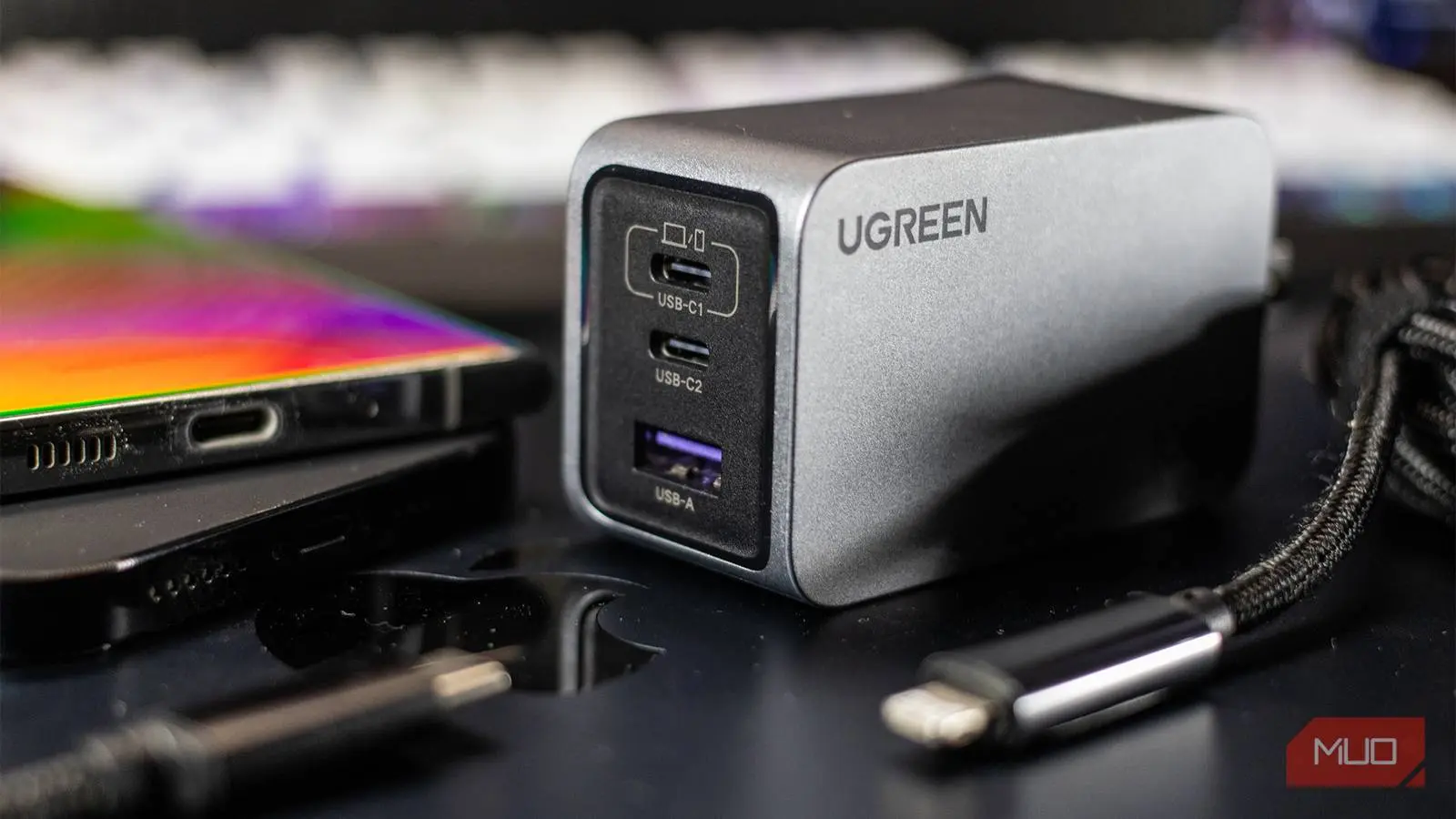
Another wrinkle is that the wattage printed on the charger's box is a maximum output across all ports combined. If you buy a multi-port charger, such as a 65W model with two USB-C ports and one USB-A port, that 65W is the total power the charger can supply. When you plug in a single device, it can get the full 65W (if it requests it). But when you plug in two devices, the charger splits the available power. The exact split depends on the charger's internal design. Some chargers prioritize one port for higher wattage, while others distribute evenly. For example, a common configuration is 45W on one USB-C port and 20W on the second, reducing to 25W each if both are used. This is why reading reviews or the product's power distribution table is crucial. If you frequently charge a laptop and a phone simultaneously, you need to ensure the charger can provide enough power to both at the same time.
The cable matters just as much
You can buy the perfect charger and still end up with slow charging if the cable doesn't keep up. Cables have their own current (ampere) and wattage ratings, which determine how much power they can safely carry. A cheap USB-C cable might only support 3A (60W at 20V), while a high-quality cable can handle 5A (100W or more). If your phone and charger are both capable of 65W, but the cable maxes out at 15W, that's what you'll get. Many manufacturers still include a decent cable in the phone box, but if you're buying a new charger, you might need to purchase a compatible cable separately. Look for USB-IF certified cables that specify the wattage rating. For example, cables labeled '100W USB-C' or '240W USB-C' are built to handle high power safely. Additionally, some proprietary fast-charging protocols, such as OPPO's SuperVOOC, require special cables that have an extra pin (emarker) to negotiate high power. Using a standard USB-C cable with a SuperVOOC charger will limit you to slower USB PD speeds.
Finally, stick to reputable brands for both chargers and cables. No-name bricks are tempting due to their low price, but they often fail to deliver the advertised power, lack safety certifications, or use subpar components that can overheat or fail. A single faulty charger can damage your phone's battery or even cause a fire. Spending a few extra dollars on a brand like Anker, Belkin, Spigen, or the phone manufacturer's own charger ensures you get reliable performance and proper safety features like over-voltage, over-current, and short-circuit protection. With the right knowledge, you can navigate the confusing world of chargers and always pick the perfect one for your needs.
Source:MakeUseOf News