

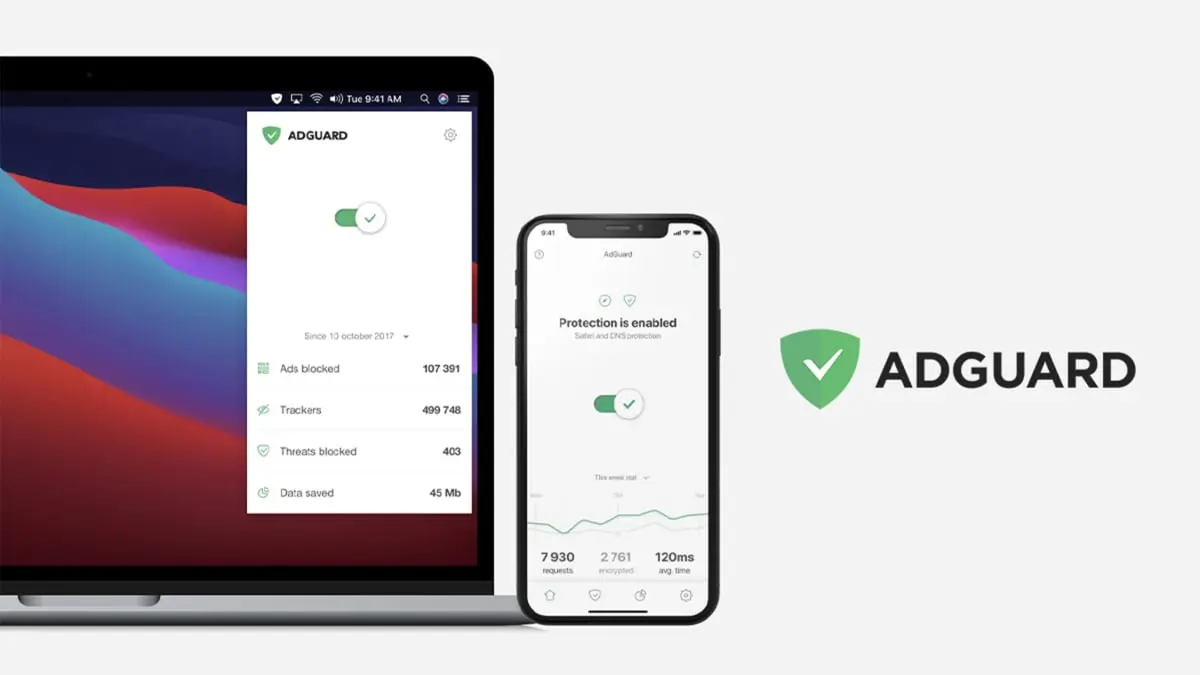
The modern internet is a crowded place. Every page you visit, every video you watch, and every article you read seems to be accompanied by pop-ups, banners, autoplay videos, and a growing army of tracking scripts. What once felt like a digital frontier now often resembles a virtual marketplace where your attention is the primary currency. For many, the solution is to pay for ad-free experiences on specific streaming services or news sites, but that approach can quickly become expensive and never covers the entire web. Enter AdGuard Family Plan, a comprehensive tool that promises to strip away the noise, protect your privacy, and give you back control over your browsing experience—all for a one-time price that is currently as low as $15.97.
This limited-time offer, running through July 12, gives you a lifetime subscription to AdGuard Family Plan, which normally retails for $169.99. That is a savings of over 90%, and it covers up to nine devices across both Android and iOS platforms. Whether you are using a Windows laptop, an iPhone, an Android tablet, or a combination of devices, AdGuard can be installed to block advertisements at the system level, meaning it works in every app and every browser without requiring complex configuration.
What does AdGuard actually block?
AdGuard is not just another ad blocker. It operates as a network-level filtering tool that intercepts requests before they can load content on your device. When you browse the web, your browser sends requests to hundreds of third-party servers—many of which are delivering advertisements, analytics scripts, or even malicious code. AdGuard maintains an extensive list of known advertising and tracking domains, and it prevents your device from connecting to them. This approach stops banner ads, video ads, interstitial pop-ups, and sponsored content before they ever appear on your screen.
Beyond standard advertisements, AdGuard also targets so-called "malvertising"—malicious ads that can infect your device with malware simply by being displayed. It blocks phishing attempts, stops redirects to scam websites, and can even filter out adult content when parental controls are enabled. The result is a noticeably faster, cleaner, and safer internet experience.
How does it compare to browser-based ad blockers?
Browser extensions like uBlock Origin are popular, but they only work within that specific browser. If you use multiple browsers—or if you want to block ads in apps like YouTube, Instagram, or your favorite news app—a system-wide solution like AdGuard is far more effective. It works silently in the background, filtering traffic from every app that uses an internet connection. This is especially valuable on mobile devices, where browser-only blockers leave most ad impressions untouched because they appear inside native apps.
AdGuard uses a local VPN-like mechanism (but without routing your data through external servers) to filter traffic. It creates a secure tunnel on your device that inspects all incoming data for advertising patterns. Because the filtering happens locally, your privacy is preserved—AdGuard does not log your browsing history or sell your data. This is a key distinction from some free ad-blocking services that monetize user information.
Privacy and security features
One of the most compelling reasons to use AdGuard is its ability to block online trackers. Almost every website you visit embeds scripts from analytics companies, social media platforms, and advertising networks. These trackers build detailed profiles of your interests, location, and browsing habits. AdGuard’s tracker-blocking module prevents these scripts from loading, making it much harder for companies to follow you around the internet. The service also includes a stealth mode that can spoof your browser fingerprint, block third-party cookies, and disable the JavaScript APIs that are commonly used to identify users.
On the security front, AdGuard’s database is constantly updated to include websites known for distributing malware, ransomware, or phishing attacks. When you try to visit a dangerous URL, AdGuard will block the connection and display a warning. This is especially useful for less tech-savvy family members who might click on a misleading link in an email or text message. The parental controls allow you to create a whitelist or blacklist of websites, block adult content, and even enforce safe search on Google, Bing, and YouTube.
The economics of the deal
When you consider the regular price of $169.99, the current sale price of $15.97 makes this offer almost a no-brainer for anyone who spends significant time online. Think about what you spend each month on streaming subscriptions just to avoid commercials. Netflix’s ad-free tier costs $15.49 per month; Amazon Prime Video’s ad-free option adds $2.99 monthly; Hulu’s no-ads plan is $17.99. That is over $35 per month for just three services. In contrast, a one-time payment of $15.97 with AdGuard blocks ads across the entire internet, including on sites like YouTube (in browser), news portals, and even in some mobile games.
The lifetime subscription also means you will receive all future updates and new features at no extra cost. AdGuard releases regular filter updates to keep up with new advertising techniques, and the software is continuously improved. This is not a time-limited license; once you buy it, you own it for the life of the product and your devices. The plan covers up to nine devices, making it ideal for a family or a small household with multiple gadgets. If you have a couple of smartphones, a tablet, a laptop, and a desktop, you will still have room to spare.
A brief history of ad blocking
The concept of blocking advertisements on the internet is almost as old as the commercial web itself. In the mid-1990s, early browsers allowed users to disable images, which inadvertently blocked banner ads. Dedicated ad-blocking software came onto the scene in the early 2000s with tools like Adblock Plus. However, these early solutions were often criticized for allowing certain "acceptable ads" by default, a practice that diluted their effectiveness. In 2015, Apple introduced content-blocking APIs in iOS 9, sparking a new wave of system-wide blockers. AdGuard was one of the first developers to embrace this technology, and it has since become a leading name alongside competitors like 1Blocker and Wipr.
Today, ad blocking is a global phenomenon. According to industry statistics, approximately 27% of internet users worldwide employ some form of ad-blocking software. This is driven not only by annoyance but also by growing awareness of privacy violations and security risks. The online advertising industry has fought back with anti-ad-blocking scripts that detect blockers and ask users to disable them. AdGuard counters these scripts by automatically hiding or bypassing the detection prompts, ensuring a seamless experience.
Why act now?
This particular deal ends on July 12 at 11:59 p.m. PT. After that, the price will revert to $169.99. While AdGuard occasionally runs promotions, a 90% discount on a lifetime family plan is rare. The regular price is already a good value for those who block ads on multiple devices, but at $15.97, it is practically a steal. The offer is available through Mashable Deals and StackSocial, but as with any time-sensitive promotion, availability may change. If you have been considering a permanent solution to online ads, now is the time to act.
Installation and setup
Setting up AdGuard is straightforward. After purchase, you receive a license key via email. You download the AdGuard app from the official website or app store for each platform—Windows, Mac, Android, or iOS. Enter the license key, and the app begins working immediately. For mobile devices, AdGuard walks you through a simple configuration to enable its local VPN filtering. On desktop, it integrates at the system level. The family plan allows you to activate the same license on up to nine devices, and you can manage them from a single account dashboard.
Advanced users can customize filter lists, add their own rules, or whitelist specific websites they need to support. The app also includes a detailed log that shows which requests were blocked, giving you transparency into exactly what is happening as you browse. For parents, the setup includes a password-protected parental control section where you can set time limits, block specific categories of content, and view activity reports.
AdGuard does not require complex maintenance. Once installed, it updates its filters automatically in the background. The lifetime license means you never have to worry about renewal fees or subscription lapses. It is a set-it-and-forget-it solution that continues to pay dividends in speed, security, and peace of mind.
With the deadline fast approaching, this is one of the better deals you will find for a quality digital product that provides years of value. The internet is not getting any less cluttered, but with AdGuard, you can carve out a clean, focused space for yourself and your family. Take advantage of the offer while it lasts.
Source:Mashable News